YAGUA 2.0 Stable release · Windows and Linux
A new chapter for Yagua.
A refreshed interface, new tools and more control over image processing on your computer. Explore everything that has changed since v1.1.2.
-
A refreshed interface
A new home screen, module navigation and options to adjust interface scale and visible tools.
-
More tools and control
OCR, watermarks, image previews and new background removal adjustments.
-
Expanded batch workflows
Batch color palettes and EXIF metadata, with more options to inspect, export and save.
-
Responsiveness and reliability
Background processing, on-demand AI loading and safeguards against saving conflicts.
View all v2.0 changes Hide v2.0 changes
From v1.1.2 to v2.0.0
Modules and processing
- EasyOCR text recognition: extract text, copy it or export it. Recognizes Spanish, English or both; interface languages are configured separately.
- Watermark: apply a logo and adjust its position, size, opacity and margin, with a preview.
- Resize, Crop and Canvas: review the selected image and source and output dimensions. Canvas supports color or transparency; changing controls updates the preview without saving files.
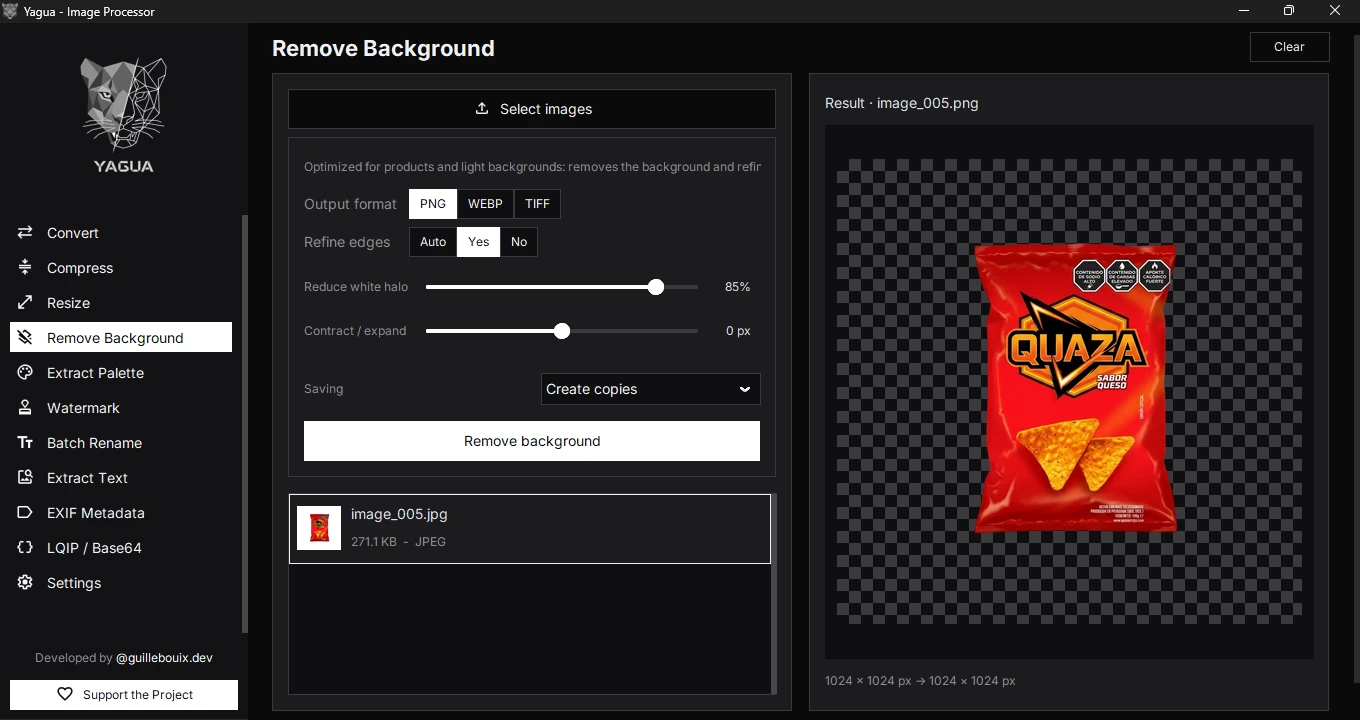
- Remove Background: Auto / Yes / No edge refinement, white halo reduction and contour contraction or expansion. Shows the original before processing and the saved result afterwards.
- Color Palette: process up to 100 images, inspect each palette and save one or the whole collection.
- EXIF Metadata: batch inspection, editing, cleaning and export for JPEG, TIFF, PNG and WebP, with up to 100 images. PNG and WebP editing preserves compressed pixel data.
- JPEGs from certain cameras: processes the main photo in recognized files with smaller MPO views. The result does not preserve those additional views.
- Conversion, compression and saving: improved compatibility, naming conflict handling and saving safeguards. Compress discards results that do not reduce file size; metadata cleaning belongs in EXIF.
- LQIP / Base64: a simplified interface for one image at a time.
Interface and experience
- A unified redesign, a home screen and organized Settings, with module navigation.
- Nine languages in the code: English, Spanish, Portuguese, French, German, Italian, Japanese, Simplified Chinese and Russian. Installed packages may include fewer.
- Interface scaling, visible module selection and shared thumbnails and previews.
- Temporary notifications and improvements to large lists, including palette collections.
- Checking for updates opens the download page. Updates are not installed automatically.
Responsiveness and saving
- Heavy operations run in the background to keep the interface responsive.
- The interface can start without loading AI engines; they load when needed.
- Safeguards against saving conflicts and failures. Several modules can create copies or overwrite with confirmation.
- Tested packages use CPU processing and do not require a dedicated GPU. Published hardware requirements remain estimates.
Platforms and scope
- Stable x86-64 release for Windows and Linux: Windows installer and portable, Linux AppImage.
- macOS remains in development without a validated native package. There is no validated ARM version either.
- SVG vectorization and general image transformations are not part of v2.0.